
Condukt 1.0 Is Here
Condukt is a sophisticated MIDI Controller for all your synths, running on iOS, iPadOS and macOS
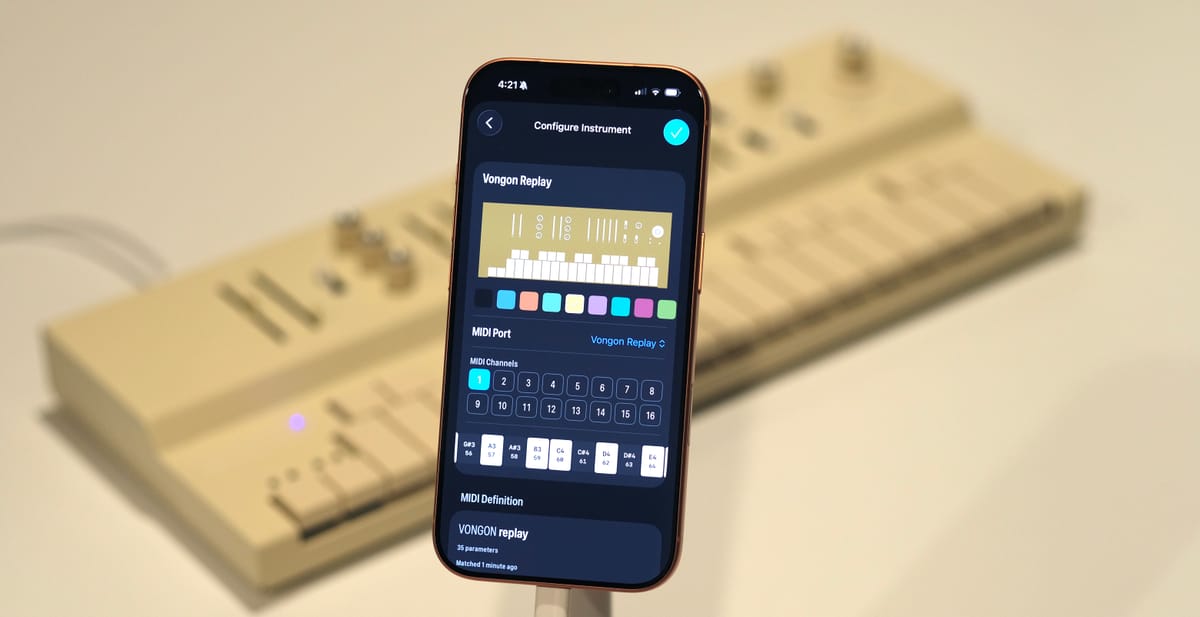
After years of building, months of beta testing, and 500+ testers helping us get it right, Condukt is officially on the App Store. The conductor is finally here 😀
It's a paid upfront app. No subscriptions. During launch week, it's $10.
What Is Condukt?
Condukt turns your iPhone, iPad or Mac into a customizable MIDI controller for your synths. Plug in via USB-C, pick parameters by name, and start playing. No manuals, no CC numbers, no configuration.
It works with hundreds of synths, drum machines, and effects listed at midi.guide, an open-source database we've been building and maintaining since 2019. When you plug in a device, Condukt recognizes it and gives you control in seconds.
Here's a quick overview of the workflow and what it can do:
What You Can Build
Condukt is built around boards: custom control surfaces you design for your specific setup.
Faders and XY Pads. Control parameters by name. One fader can control the same parameter across multiple devices at once. XY pads let you manipulate two parameters simultaneously for expressive performance control.
Sequencers. Four built-in sequencer types. The Cartesian sequencer generates patterns with randomization, scale-based generation, and per-step velocity. The Phrase Sequencer is an 8-step manual note sequencer with per-step options for skip, velocity, gate length, tie, retrigger, and probability. Conduktor is a creative take on standard sequencers, and Turing Machine channels the old shift register sequencers.
LFOs and Modulation. Add modulation sources your hardware doesn't have. Synth only has one LFO? Add as many as you need in Condukt.
Recall and Morphing. Store snapshots of your controls and recall them instantly. Add a crossfader to morph smoothly between two saved states during a performance. Want to morph between two different sequenced melodies? You can do that too.
Performance Layouts. Multiple pages per board. Sound design on page one, performance controls on page two, mix on page three. Switch between them on the fly.
Themes and GIFs. Fully themeable interface, plus animated GIF controls that sync to MIDI clock. Make your boards look as good as they sound.
The Long Road to 1.0
Condukt started in 2019. Back then, iPhones had Lightning ports, synths rarely had USB MIDI, and getting everything connected meant adapters, hubs, and MIDI routers. More cables than a prog rock pedalboard. The prototype worked, but the hardware experience was rough.
So we shifted focus and built the foundation: midi.guide, an open-source database of MIDI definitions for synths and drum machines. We seeded it with our own devices, open-sourced it, and let the community contribute. Over five years it became the go-to resource for many synth enthusiasts. Now it’s used by manufacturers like Neuzeit, OXI, and Reliq for their hardware sequencers.
Meanwhile, the hardware world caught up. Every iPhone and iPad now has USB-C. Most synths ship with class-compliant USB MIDI built in. The plug-and-play experience we originally imagined finally became possible.
We rebuilt Condukt from scratch for this new reality. 30 beta builds later, with feedback from over 500 testers, here we are.
No Subscriptions
We heard loud and clear that people prefer to buy an app and own it. Condukt is a one-time purchase. The only thing looping should be your sequencer. The launch week price of $10 won't last, so if you've been waiting, now's the time.
If you want to see what devices are supported, browse the full list at midi.guide.
Thanks to every tester who helped us get here. This one's for you.