
A touch of modular
Condukt 1.6 is out today. Lots new in this version, from modular-inspired Flow Controls that add some classic eurorack magic to your boards, to upgrades for cable patching, Recall buttons and the Recorder.
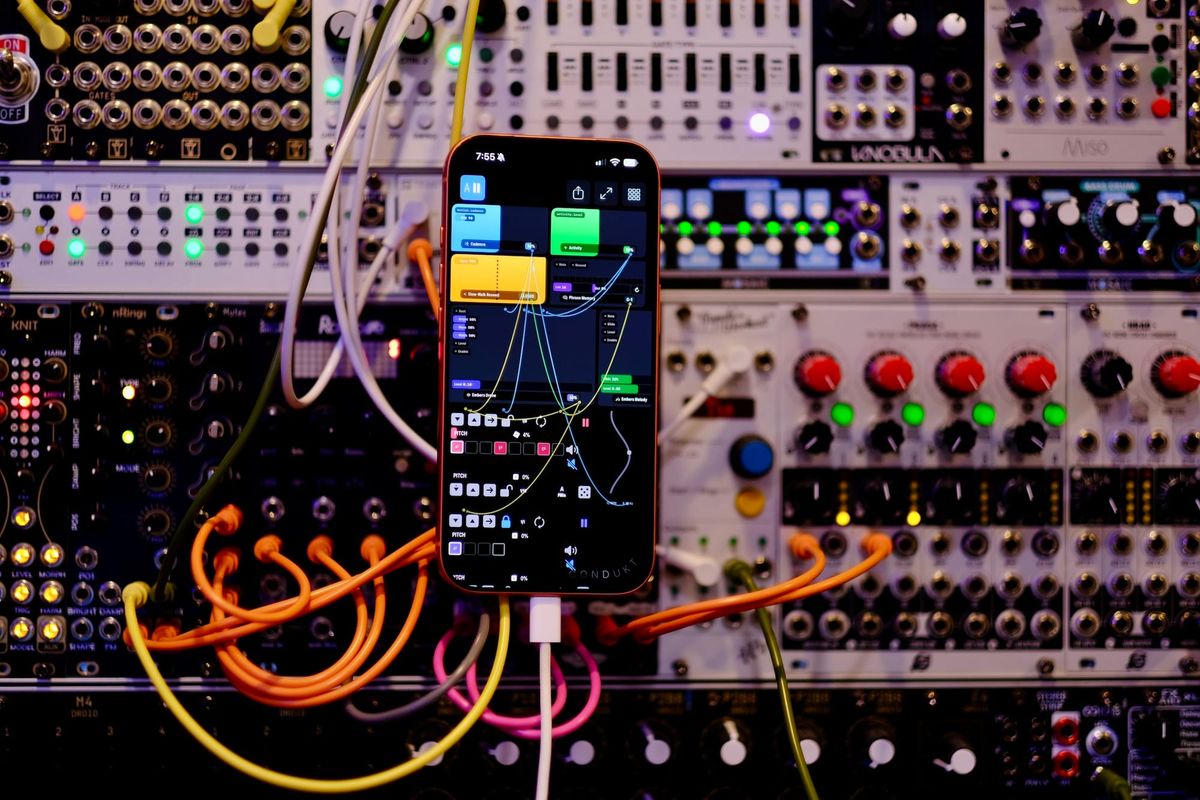
Flow Controls
You'll find them in the control picker under Flow Controls. They come in four groups.
- Clocks and timing. Clock Divider, Clock Multiplier, Sample & Hold, and Shift Delay. Shift Delay is a clocked sample delay that repeats what its input did 1 to 63 steps ago, which makes canons and delayed echoes of a melody line easy.
- Math and shaping. Multiply, Map, Clamp, Accumulator, Greater Than.
- Chance. Probability decides whether a gate or trigger gets through.
- Note machines. Note Pool picks notes from a pool and lights each one as it's chosen. Phrase Memory learns a phrase, loops it, and mutates it over time (tap to reseed). Note Out plays whatever note reaches it on any instrument you pick, so a chain of modules can drive your hardware directly.
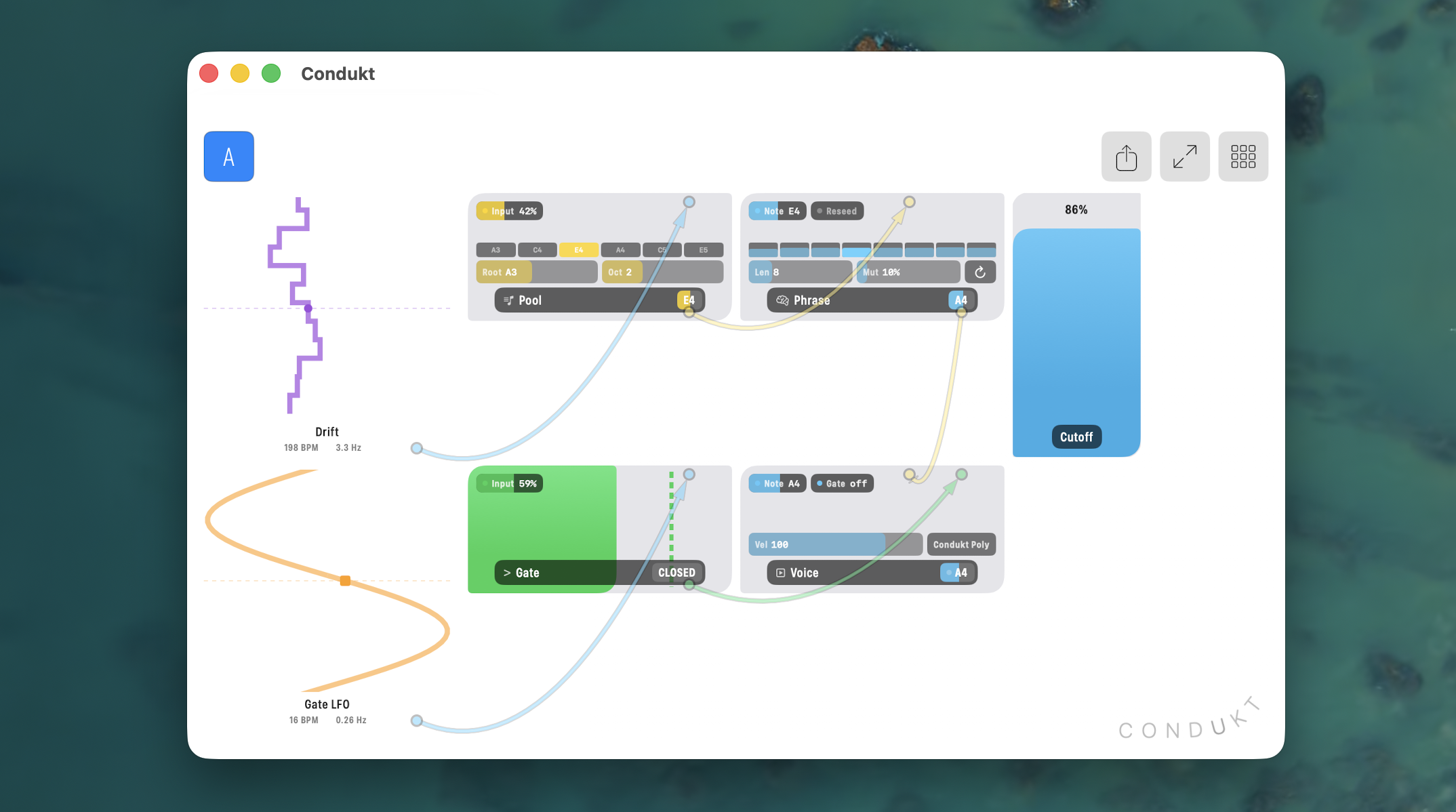
Module tiles look and behave like faders. The tile fills with its live signal, input pills show incoming levels, and a meter badge shows the output. Drag control's surface to set an unpatched value by hand. If you're a modular nerd, think attenuverters.
If you're not sure where to start, open one of the new sample boards on the Boards home screen. Then try this one yourself: patch a Note Pool into a Phrase Memory into a Note Out, and put a Probability in front of the gate.
Jacks and cables
Every control now shows its inputs along the top edge and its outputs along the bottom, as labeled ports. Cables attach to the exact port, so Multiply's A and B land on separate jacks instead of somewhere on the tile, and every cable ends in an arrowhead pointing at its target.
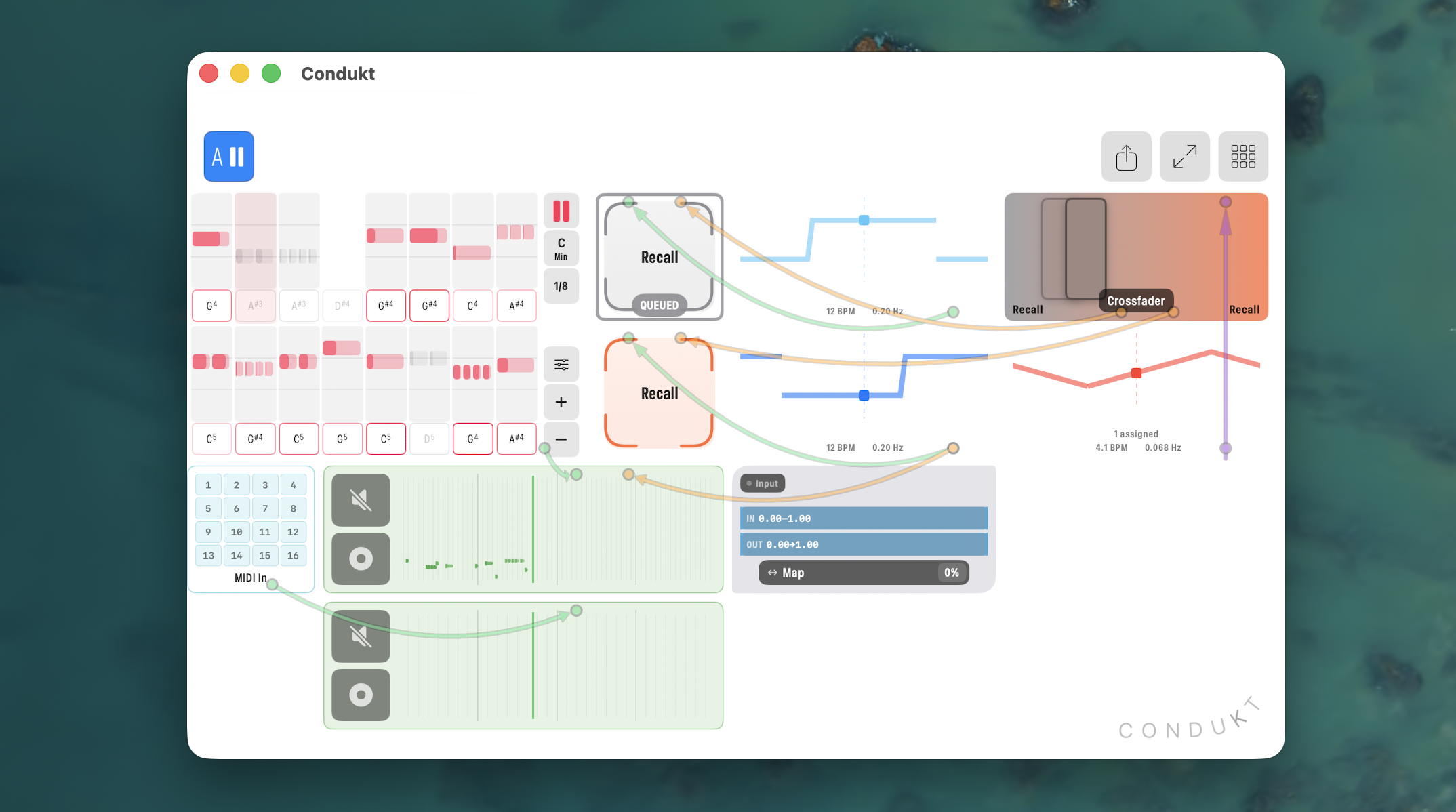
Patching starts at the source. In edit mode every routable control shows an OUT pill (Pitch, LFO, Steps...). Tap it, then tap a target port. That one flow replaces the old per-control bind buttons for LFOs, sequencer routes, XY axes, and crossfader corners.
LFOs, Step Modulators, and XY axes can now drive module inputs. Sequencers can feed their notes into note ports. Modules can drive faders, and envelope stages accept cables too. If a jack fits, it works.
Patch and quantize Recalls
Automate and quantize Recalls for some generative fun:
Demo of Condukt 1.6 controlling Plinky12
- Launch Quantize. Set a Recall to Next Beat, Next Bar, or 2, 4, or 8 Bars. Tapping it arms it, and it fires exactly on the boundary, so a beat-synced transition starts from the downbeat. Tap again to cancel. It works under external MIDI clock too.
- Recalls lock after the first store. Hold a Recall once to store its scene. After that, holding does nothing, so a stray hold mid-set can't overwrite it. To store again, tap CLEAR in Edit mode.
- A Trigger input. Recalls now have an input jack. Patch a Clock Divider into it and the board advances sections every N bars. Patch a Probability in and the arrangement becomes generative. Any gate, trigger, clock, or square LFO works, and launch quantize and transitions apply just like a tap.
You can also bind a Trigger Key, so a hardware keyboard fires scenes. All of this works in the AUv3 plugin, where launch quantize follows host transport.
The Recorder Upgrade
At 3x2 and 3x3 the Recorder switches to a large layout with a piano roll across the top. The roll fits itself to what's on the tape and draws octave guides.
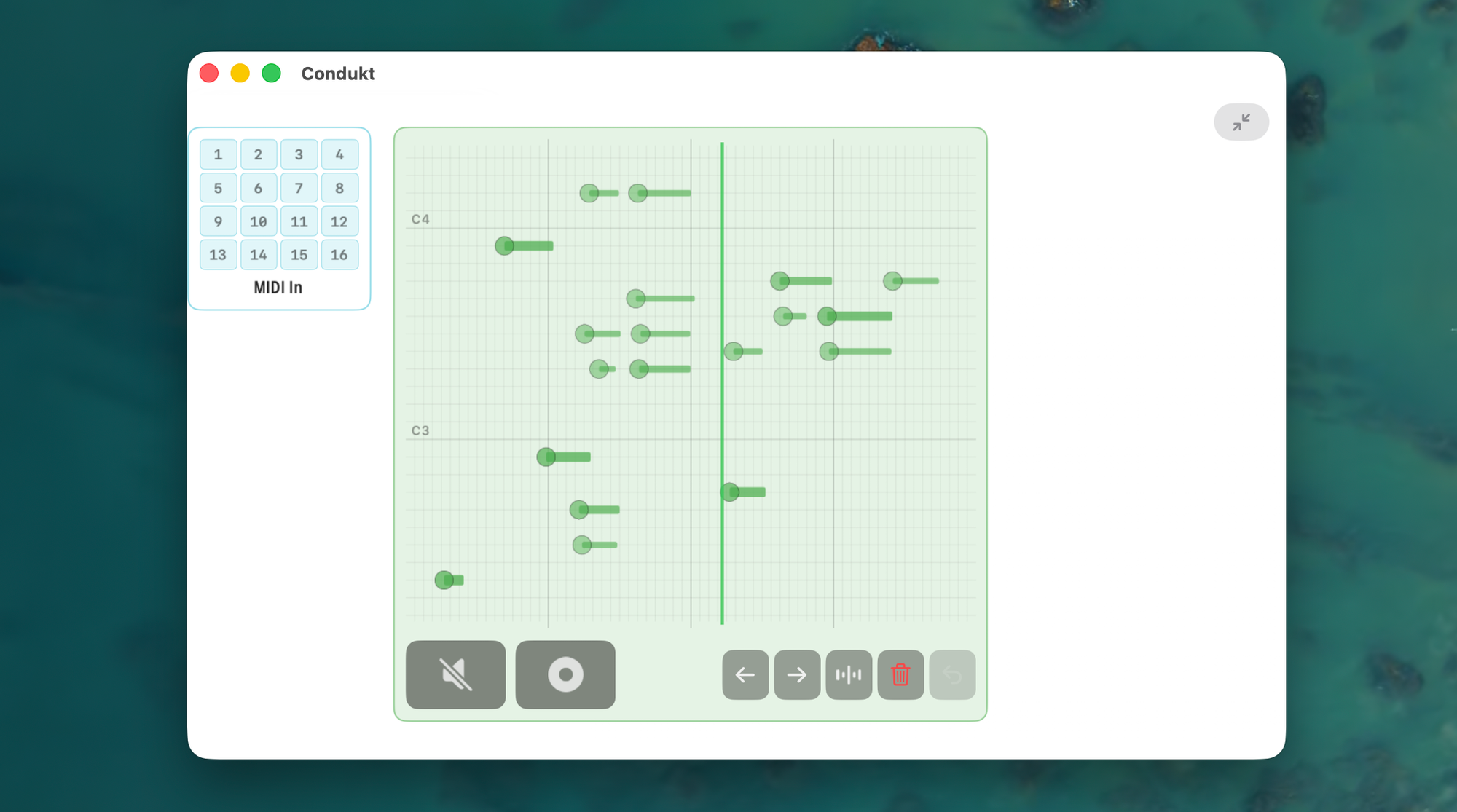
- Edit the tape. Rotate notes left/right by grid division, quantize onsets, transpose by semitone or octave, and delete, on a selection or the whole tape. Every recorder keeps its own undo history (50 steps deep).
- Drag on the roll. Drag a note or a selected range. Horizontal moves by grid steps, vertical by semitones.
- Velocity. You can now adjust the note velocity with Louder, Softer, and Humanize, or hold a note and drag vertically to set its velocity by hand. Onset dots fill with velocity, so you can read the dynamics along the phrase.
- REC arm modes. Next Pass waits for the tape to wrap and records a full lap. Punch In starts immediately. Auto picks for you by source. The REC button counts down beats while armed.
- Export as MIDI, from the Recorder's right-click menu.
The Recorder joined the patch graph too. It has a Source input, Rec and Play trigger inputs that mirror the transport buttons, and an Out port that publishes the played tape. A recorder can tape another recorder. MIDI Input now publishes incoming notes as well, so you can play a keyboard into Phrase Memory into Note Out and the board keeps playing your phrase, slowly mutating it. Think of a loop pedal that improvises.
Smaller things you'll notice
- Right-click any control. A mouse right-click or a two-finger trackpad click opens a menu on any control, page button, or the Edit Board button, in performance mode as well as Edit. Finger gestures are unchanged.
- Boards travel with their instruments. A .condukt file now carries each instrument's MIDI device, channel, and parameter definition. Import it on a second iPad and the instruments are created for you. If something can't be matched, a setup sheet lets you map it before the board lands.
- Hardware keyboard shortcuts. Cmd+B and Cmd+I switch tabs, Cmd+1 to 9 jumps to surfaces A to I, Cmd+Return toggles Edit, Cmd+Plus and Minus nudge zoom. Hold Cmd on an iPad keyboard to see the full list.
- More zoom levels. 1.25x and 1.75x can now be selected.
- Faster everywhere. Board-open should be snappier, and the Add Control sheet on Mac opens much faster.
- The AUv3 follows your theme. Pick a theme in the app once and the plugin uses it.
What's next: Keys
1.7 is already underway, and it will open with Keys, a playable keyboard control for your boards. Piano and pad grid layouts, scale modes, latch, octave shift, and a velocity slider right on the tile. Beta coming soon!